
Read the Translation in the Artwork
The translated text appears in the page instead of in a separate list you have to match to each panel.
AI-powered translation
Translate complete manga pages into your language while keeping the text inside the original artwork.
Before and after
A Japanese manga page and the same page translated into English. Dialogue, narration, and on-page text are placed back into the original artwork.

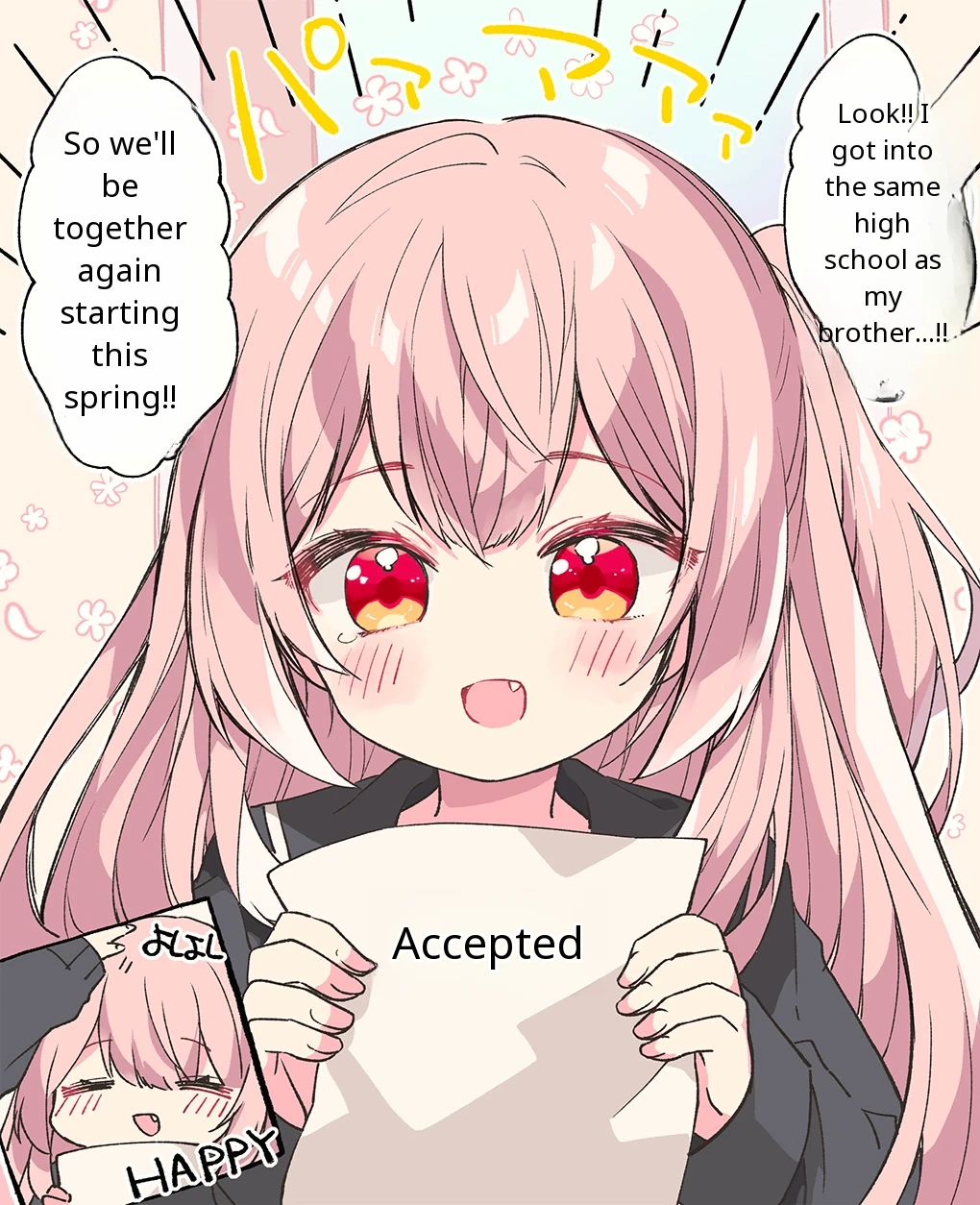
What you get
Dialogue, narration, and on-page text are translated together and placed back into the manga page, where they are easier to follow.
The translated text appears in the page instead of in a separate list you have to match to each panel.
Panels, characters, and artwork remain visible while the translated text is fitted into the page.
Upload several pages in sequence and read the translated results in the same order.
What the tool does
This manga image translator works with the whole page, so dialogue and narration stay connected to the panel where they appear.
It detects the original language, translates the page into the language you choose, and renders the result back into the artwork.
The page is read as an image, and dialogue, narration, and on-page text are detected automatically.
Each line is translated using the surrounding panels and dialogue, so it keeps its meaning and tone.
The original text is cleaned away and the translation is placed back into the artwork, keeping the layout.
Three steps
Upload a manga page, choose English as the target language, and read the translated page with the text placed back into the original artwork.
Add a Japanese manga page, panel, or screenshot in its original reading order.
Select English or another language from the 20 available options.
Read the translated pages and switch between the original and translated versions.
Common uses
Use the translator for manga you want to read or for comic pages you want to share in another language.
Translate Japanese dialogue, narration, and page text into English while keeping the original page layout.
Upload Korean manhwa pages or comic panels and read them in English with the translation placed back into the page.
Create translated versions of your manga or comic pages for readers who use other languages.
Common questions
An AI manga translator reads dialogue, narration, and other text inside a manga image, translates it, and places the translated text back into the page.
Upload your manga pages, choose English as the target language, and start the translation. When each page is ready, open it in the manga reader or compare it with the original.
Yes. Upload a Japanese manga page or screenshot and choose English or another supported target language. The translated text is rendered inside the page.
Yes. You can upload Korean manhwa pages, comic panels, and other image-based pages, then choose a target language.
Yes. It detects the text, translates it, cleans the original text area, and renders the translation back into the manga page instead of returning only a separate text result.
Yes. Add several manga pages in reading order and start one translation. The finished pages stay together so you can move through them in the built-in reader.
You can upload manga pages and screenshots in JPG, PNG, or WebP format.
Each translated manga page uses one credit. The total is shown before the translation starts.
You can translate manga into English, Japanese, Korean, Simplified or Traditional Chinese, Spanish, French, German, Portuguese, and many more supported languages.
Yes. Basic credits are available. Each page uses one credit, and the complete credit total is shown before the translation begins.
Yes. The manga reader lets you switch between the original page and the translated page whenever you want to check a line, panel, or visual detail.
No. The manga translator works directly in a browser on a computer, phone, or tablet.
Upload one or more manga pages, choose the target language, and open the translation in the manga reader.
Start Translating© 2026 Epub Translator
Couldn't load help. Please try again.